Blog
How to Extract Hardcoded Strings from Legacy PHP Projects (Automated Way)

Migration from Legacy Projects to i18n Ready
Complete step-by-step guide with real code examples for PHP, React, JavaScript, and more
So you have a legacy project — hundreds of files, thousands of lines of code, and every single text string hardcoded directly into the source. Adding a second language? Changing a button label? Each small task becomes a nightmare of grep searches and manual edits.
This guide will walk you through every possible method to migrate your legacy codebase to a fully i18n-ready architecture. You'll learn the pros, cons, time investment, and risk level of each approach — from completely manual to fully automated.
📖 What You'll Learn in This Guide
- 1. Understanding the Problem
- 2. Pre-Migration Assessment
- 3. Method 1: Manual Extraction
- 4. Method 2: Regex-Based Replacement
- 5. Method 3: AST Parsing
- 6. Method 4: Hybrid Approach
- 7. Method 5: Fully Automated
- 8. Comparison Matrix
- 9. Real Migration Examples
- 10. Post-Migration Checklist
- 11. Common Pitfalls
- 12. Final Recommendations
1. Understanding the Problem
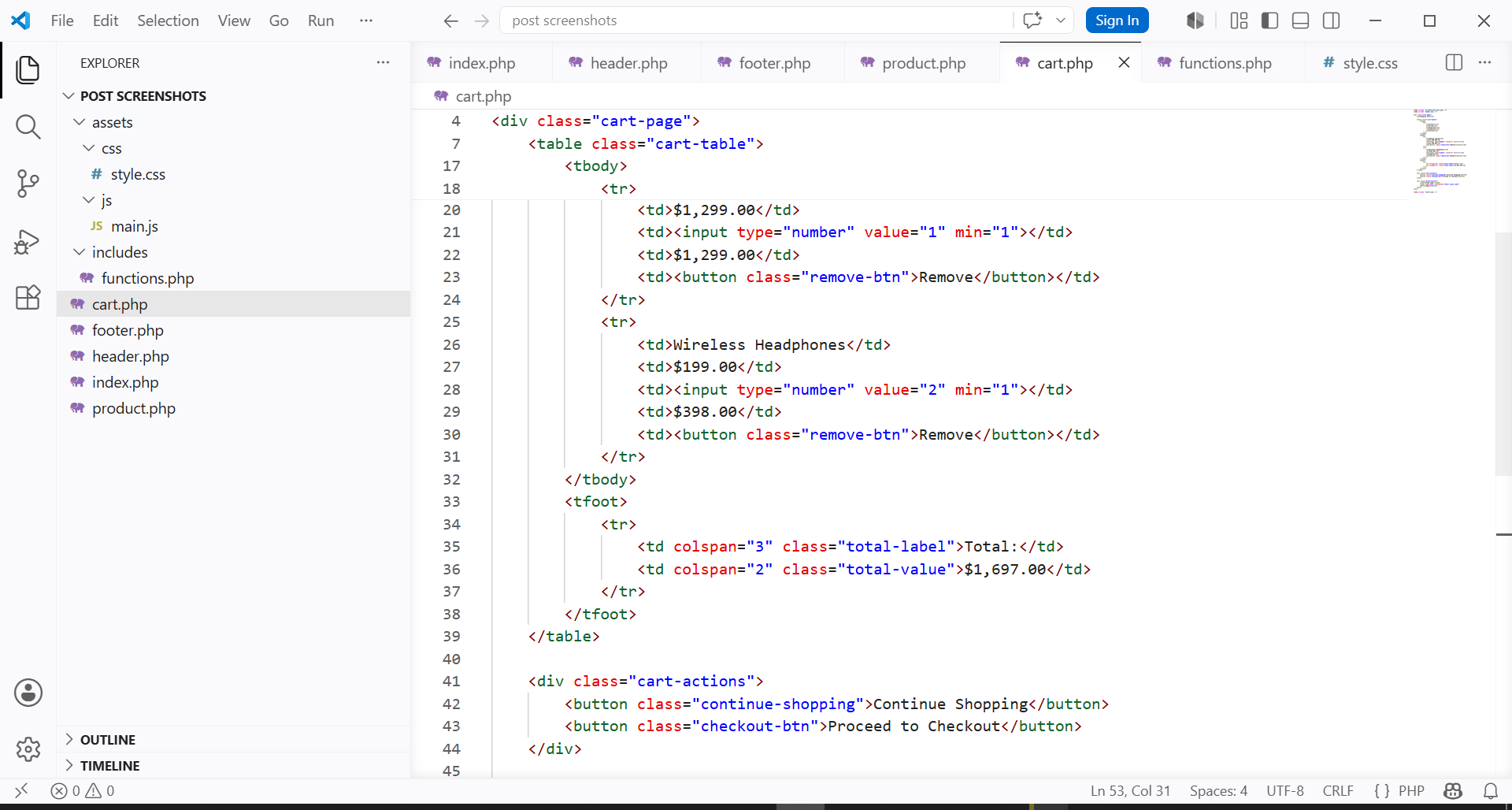
A "legacy i18n problem" typically looks like this:
<?php
// header.php
echo "Welcome back, " . $username;
echo "You have " . $cartCount . " items in your cart";

// product.php
echo "Add to Cart";
echo "Out of Stock";

// footer.php
echo "© 2024 Company Name";
echo "Contact Us";
?>
The core challenges:
- No separation of concerns: Text strings are mixed with business logic
- Duplication: The same string appears in dozens of files
- No standard format: Some strings use double quotes, some single, some concatenated
- Dynamic strings: Strings with variables are especially hard to extract
2. Pre-Migration Assessment
Before touching any code, answer these questions:
- How many files does your project have? (Estimate)
- What languages/frameworks are used? (PHP, React, Vue, Angular, JS?)
- Are strings mostly static or dynamic with variables?
- Do you have existing translations in any format?
- What's your deadline? (Days, weeks, months?)
- What's your budget for this migration?
- Is 100% accuracy required, or is 95% acceptable?
Your answers will determine which method is right for you. Let's explore all options.
This is what most developers try first — and regret. You open each file, find every string, manually replace it with an i18n function call, and create translation keys on the fly.
Step-by-Step Process:
- Use grep or IDE search to find all strings (patterns like
echo "...",return '...') - For each string, decide on a unique key name (e.g.,
welcome_message,cart_count_text) - Replace the string with function call:
<?php echo __('welcome_message', 'textdomain'); ?> - Add the string and key to a translation file (JSON, PO, PHP array, etc.)
- Test each page to ensure nothing broke
- Repeat for every file (could be 500+ files)
Example — Before:
<div class="product">
    <h3><?php echo $product['name']; ?></h3>
    <p>Price: <?php echo $product['price']; ?></p>
    <button>Add to Cart</button>
</div>
After Manual Changes:
<div class="product">
    <h3><?php echo $product['name']; ?></h3>
    <p><?php echo __('price_label', 'shop'); ?> <?php echo $product['price']; ?></p>
    <button><?php echo __('add_to_cart', 'shop'); ?></button>
</div>

// translations.php
$translations = [
    'price_label' => 'Price:',
    'add_to_cart' => 'Add to Cart'
];- Typical time: 40-80 hours for a medium project
- Error rate: 5-15% of strings are missed
- Inconsistent key naming across different files
- No easy way to verify completion
- Extremely tedious and demotivating for developers
Using regular expressions to find and replace patterns across multiple files. This is faster than manual but requires strong regex skills and careful testing.
Process:
- Write regex patterns to match strings in your codebase
- Use tools like
sed,awk, or IDE's "Replace in Files" feature - Replace matched strings with i18n function calls
- Manually clean up false positives and edge cases
Example Regex Command (Linux/macOS):
# Find all echo "..." and replace with echo __('...')
find . -name "*.php" -exec sed -i 's/echo "\([^"]*\)"/echo __("\1", "domain")/g' {} \;- Cannot handle nested quotes or escaped characters reliably
- Struggles with multi-line strings
- Cannot differentiate between translatable and non-translatable strings
- May break code with variables inside strings (
echo "Hello $name")
Best for: Simple codebases with consistent string formatting. Not recommended for complex legacy projects.
This professional approach parses your code into an AST, traverses the structure, and programmatically identifies string literals. Much more accurate than regex.
Tools by Language:
- PHP:
nikic/php-parser - JavaScript:
@babel/parseroracorn - Python:
astmodule - Java:
javaparser
Example: PHP AST Script
<?php
use PhpParser\ParserFactory;
use PhpParser\Node\Scalar\String_;
use PhpParser\NodeTraverser;
use PhpParser\NodeVisitorAbstract;

$parser = (new ParserFactory)->create(ParserFactory::PREFER_PHP7);
$code = file_get_contents('index.php');
$ast = $parser->parse($code);

$visitor = new class extends NodeVisitorAbstract {
    public function enterNode($node) {
        if ($node instanceof String_) {
            echo "Found string: " . $node->value . "\n";
            // Programmatically replace with i18n function
        }
    }
};

$traverser = new NodeTraverser();
$traverser->addVisitor($visitor);
$traverser->traverse($ast);- 100% accurate parsing — no regex false positives
- Handles edge cases (escaped quotes, multi-line, HEREDOC)
- Can detect context (is this string in an echo vs. array key?)
- Fully customizable transformation rules
- Requires programming skills to write the script
- Different parsers for different languages
- Takes time to set up and test (6-12 hours)
- Mixed language projects (PHP + JS) need multiple scripts
Combine AST extraction with manual review and translation management. This is the sweet spot for most professional teams.
Process:
- Write an AST script to extract all string literals and their locations
- Export strings to a CSV/JSON file
- Review and edit the extracted list (remove false positives, merge duplicates)
- Generate unique keys for each approved string
- Write a second script to replace strings with i18n functions using the key mapping
- Test, test, test
- Manage translations in a proper i18n system
- Automation handles the repetitive work
- Human review ensures quality
- Works for mixed-language projects
- Typical time: 8-20 hours for a medium project
- Error rate: <2% after review
Tools specifically built for this task can handle extraction, key generation, replacement, and translation management in one integrated workflow.
How it works:
- Point the tool to your project folder
- Select supported languages/formats
- Tool scans and extracts all strings (using AST, not regex)
- Review and approve the extracted list
- Tool generates unique keys and replaces all strings automatically
- Export translations in any format (JSON, PO, XML, strings, YAML, etc.)
- No coding required — just configure and run
- Handles mixed-language projects (PHP, JS, HTML together)
- Built-in safety: backups and undo functionality
- Native support for 16+ output formats
- Typical time: 10-30 minutes for any size project
- Error rate: <0.5% with user approval step
This is the approach we'll demonstrate with real examples in the next section.
8. Comparison Matrix: Which Method is Right for You?
| Criteria | Manual | Regex | AST Script | Hybrid | Automated Tool |
|---|---|---|---|---|---|
| Setup Time | 0 hrs | 1-2 hrs | 6-12 hrs | 4-8 hrs | 5 min |
| Execution Time (10K lines) | 40-60 hrs | 2-4 hrs | 1-2 hrs | 30 min | 10 min |
| Total Time | 40-60 hrs | 3-6 hrs | 7-14 hrs | 5-9 hrs | 15 min |
| Error Rate | 5-15% | 8-20% | 3-8% | 1-3% | <1% |
| Requires Coding? | ❌ | ✓ Regex | ✓ Yes | ✓ Yes | ❌ No |
| Handles Mixed Languages? | ✓ Manual | ❌ Hard | ❌ Limited | ✓ Possible | ✓ Yes |
| Translation Management | ❌ | ❌ | ❌ | ✓ Partial | ✓ Full |
| Best For | Tiny projects | Simple strings | Single language | Professional teams | Everyone |
9. Step-by-Step Migration Examples
Let's walk through three real migration examples using the automated approach. Each example shows before and after code, plus the translation files generated.
Example 1: PHP Legacy Project (Laravel)
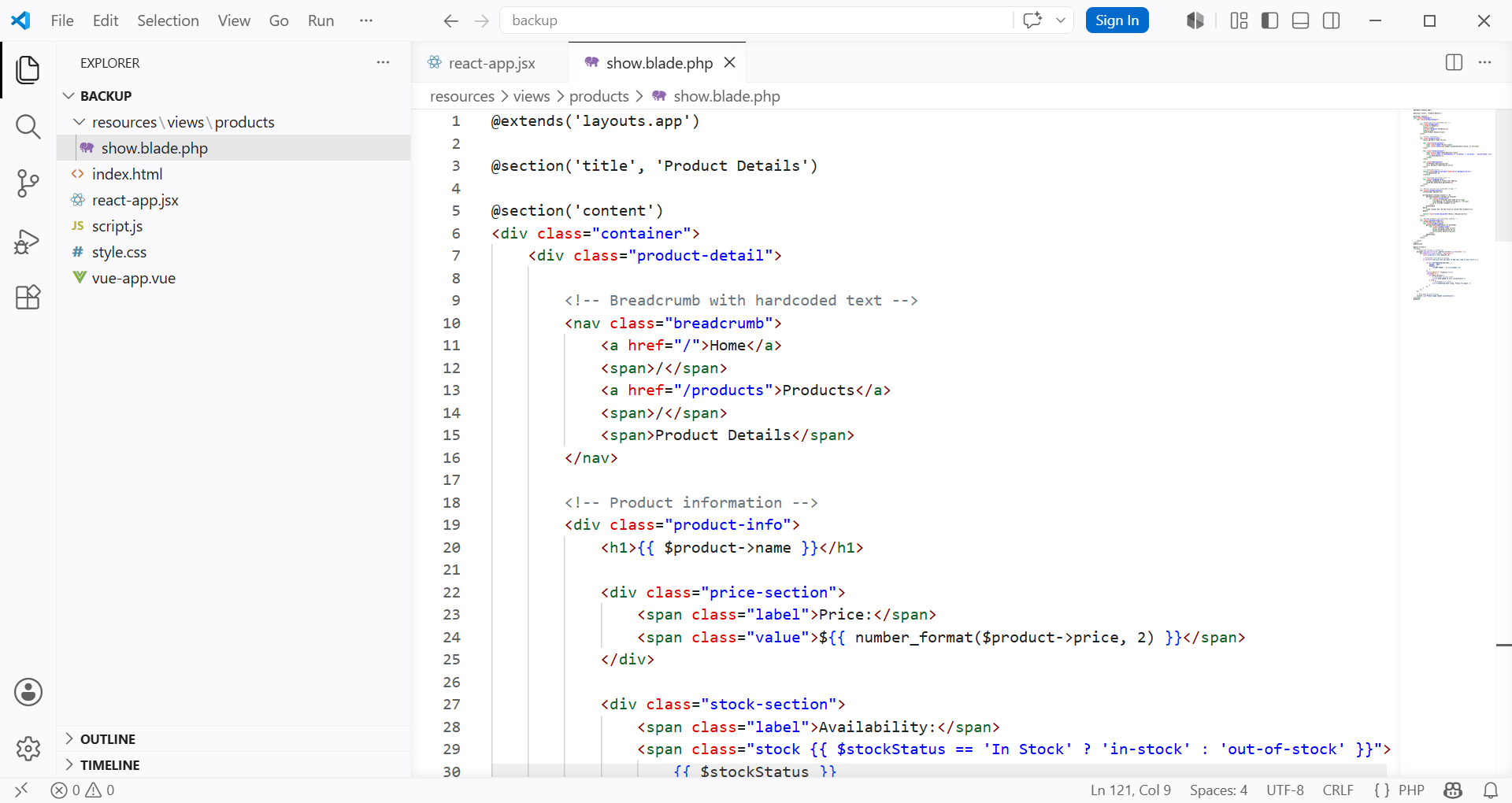
Before Migration (resources/views/welcome.blade.php):
<!DOCTYPE html>
<html>
<head>
    <title>Welcome to Our Store</title>
</head>
<body>
    <h1>Welcome back, {{ $user->name }}!</h1>
    <p>You have {{ $cartCount }} items in your cart.</p>
    <button>Continue Shopping</button>
    <button>Checkout</button>
    <footer>© 2024 Our Store. All rights reserved.</footer>
</body>
</html>
After Migration (using i18n keys):
<!DOCTYPE html>
<html>
<head>
    <title>{{ __('store.welcome_title') }}</title>
</head>
<body>
    <h1>{{ __('store.welcome_back', ['name' => $user->name]) }}</h1>
    <p>{{ __('store.cart_items', ['count' => $cartCount]) }}</p>
    <button>{{ __('store.continue_shopping') }}</button>
    <button>{{ __('store.checkout') }}</button>
    <footer>{{ __('store.copyright', ['year' => '2024']) }}</footer>
</body>
</html>
Generated Translation File (resources/lang/en/store.php):
<?php
return [
    'welcome_title' => 'Welcome to Our Store',
    'welcome_back' => 'Welcome back, :name!',
    'cart_items' => 'You have :count items in your cart.',
    'continue_shopping' => 'Continue Shopping',
    'checkout' => 'Checkout',
    'copyright' => '© :year Our Store. All rights reserved.',
];
Example 2: React.jsx Project
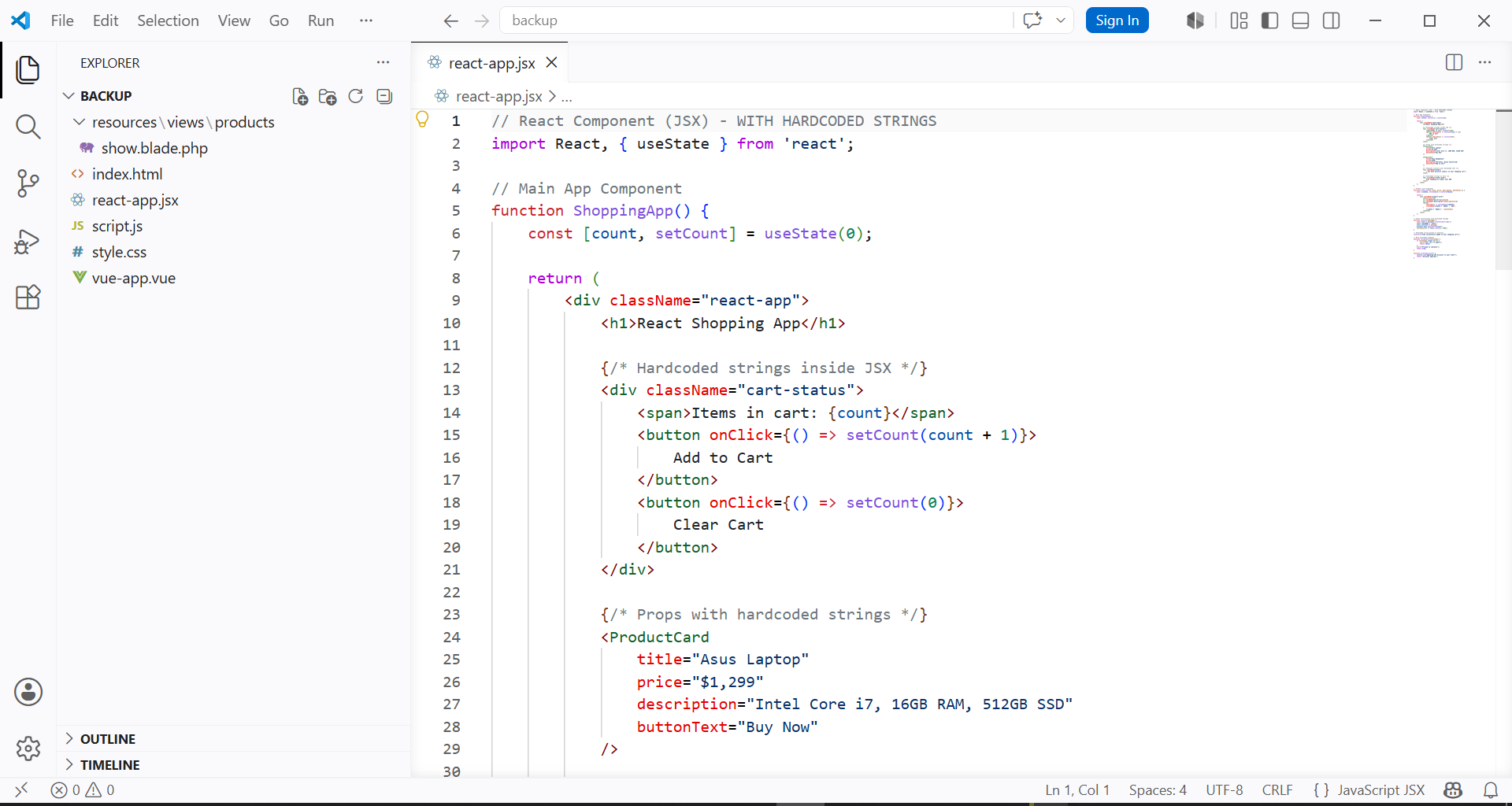
Before Migration (ProductCard.jsx):
function ProductCard({ product, inStock }) {
    return (
        <div className="product-card">
            <h3>{product.name}</h3>
            <p>Price: ${product.price}</p>
            {inStock ? (
                <button>Add to Cart</button>
            ) : (
                <span className="out-of-stock">Out of Stock</span>
            )}
            <div className="rating">
                <span>Rating: {product.rating} / 5</span>
            </div>
        </div>
    );
}
After Migration (with react-i18next):
import { useTranslation } from 'react-i18next';

function ProductCard({ product, inStock }) {
    const { t } = useTranslation();

    return (
        <div className="product-card">
            <h3>{product.name}</h3>
            <p>{t('product.price_label', { price: product.price })}</p>
            {inStock ? (
                <button>{t('product.add_to_cart')}</button>
            ) : (
                <span className="out-of-stock">{t('product.out_of_stock')}</span>
            )}
            <div className="rating">
                <span>{t('product.rating_label', { rating: product.rating })}</span>
            </div>
        </div>
    );
}
Generated JSON Translation File (public/locales/en/product.json):
{
    "price_label": "Price: ${{price}}",
    "add_to_cart": "Add to Cart",
    "out_of_stock": "Out of Stock",
    "rating_label": "Rating: {{rating}} / 5"
}
Example 3: Vanilla JavaScript + HTML
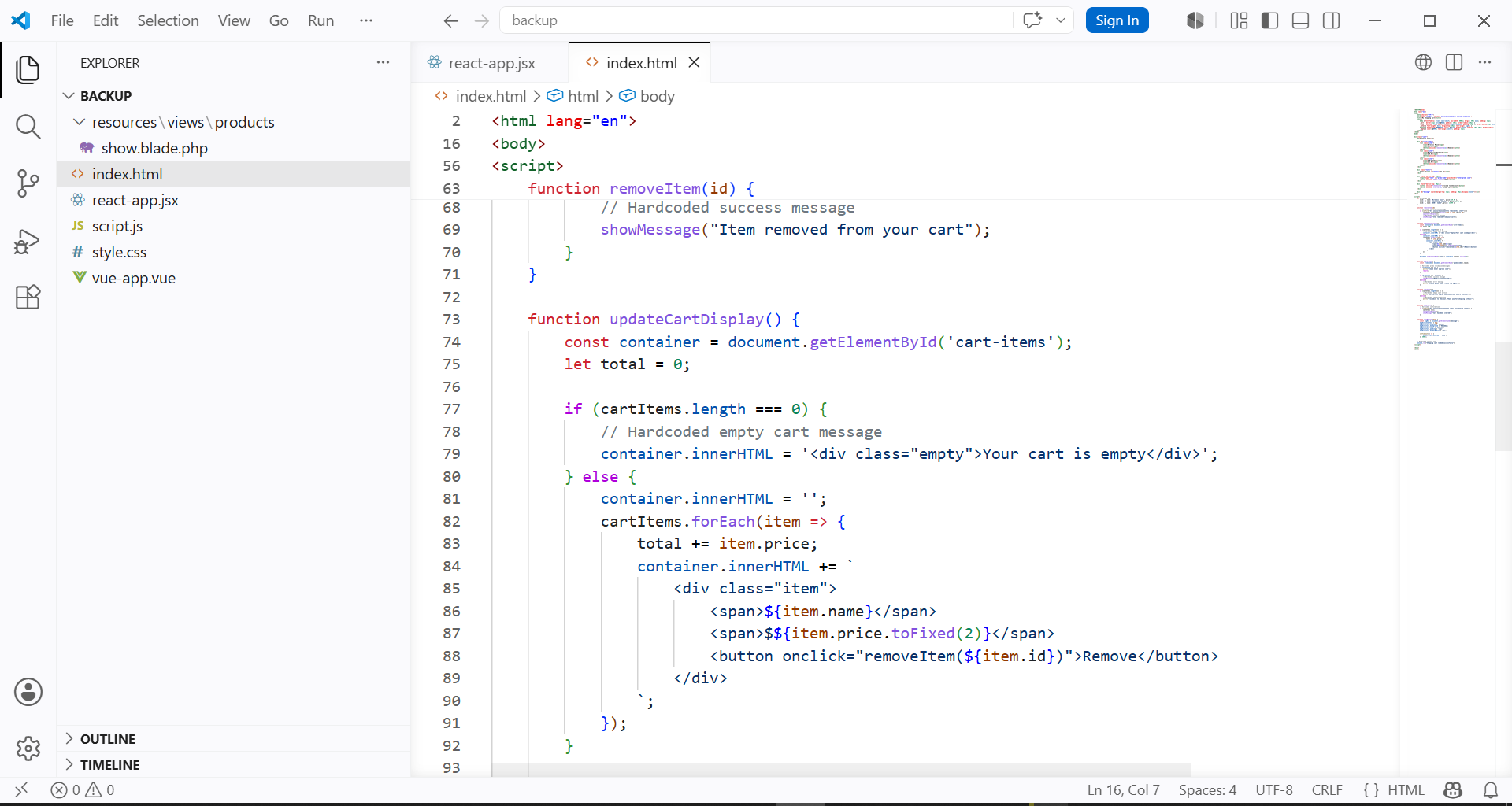
Before Migration (index.html + script.js):
<!-- index.html -->
<div class="dashboard">
    <h1>User Dashboard</h1>
    <div id="welcome-message"></div>
    <button onclick="deleteAccount()">Delete Account</button>
</div>

// script.js
function deleteAccount() {
    if (confirm("Are you sure you want to delete your account? This action cannot be undone.")) {
        // delete logic
    }
}

function updateWelcomeMessage(name) {
    document.getElementById('welcome-message').innerText = 'Welcome, ' + name + '!';
}
After Migration (with i18n system):
<!-- index.html -->
<div class="dashboard">
    <h1 data-i18n="dashboard.title"></h1>
    <div id="welcome-message"></div>
    <button onclick="deleteAccount()" data-i18n="dashboard.delete_btn"></button>
</div>

// i18n.js
const translations = {
    en: {
        dashboard: {
            title: "User Dashboard",
            delete_btn: "Delete Account",
            confirm_delete: "Are you sure you want to delete your account? This action cannot be undone."
        }
    }
};

function deleteAccount() {
    if (confirm(translations[currentLang].dashboard.confirm_delete)) {
        // delete logic
    }
}

function updateWelcomeMessage(name) {
    document.getElementById('welcome-message').innerText =
        translations[currentLang].dashboard.welcome.replace('{name}', name);
}
10. Post-Migration Checklist
echo ", return ')
11. Common Pitfalls & How to Avoid Them
Solution: Use AST parsers that detect strings in event handlers, confirm dialogs, and dynamic DOM updates. Search for patterns like .innerText = "..." or alert("...").
Solution: Establish a naming convention before starting. Example: {module}.{component}.{action} (e.g., cart.checkout.button_text).
Solution: Keep HTML outside translation strings. Instead of translating <button class="btn">Click</button>, translate only "Click" and keep the markup.
Solution: Use proper pluralization APIs (ngettext in PHP, i18next plural support in JS). Never concatenate strings with logic.
12. Final Recommendations
After migrating dozens of legacy projects, here's what we've learned:
🎯 For projects with 10-100 files: Use AST or hybrid approach.
🎯 For projects over 100 files or mixed languages: Use a dedicated automation tool.
🎯 For any project with localization team: Prioritize translation management features.
No matter which method you choose, the key is to start somewhere. Every hardcoded string you migrate today saves hours of work tomorrow.
Want to finish your migration in minutes instead of weeks?
LocEngine automates the entire process — extraction, key generation, replacement, and translation management — for PHP, JavaScript, React, and more.
Try LocEngine Free →No commitment • Free version available • Windows